
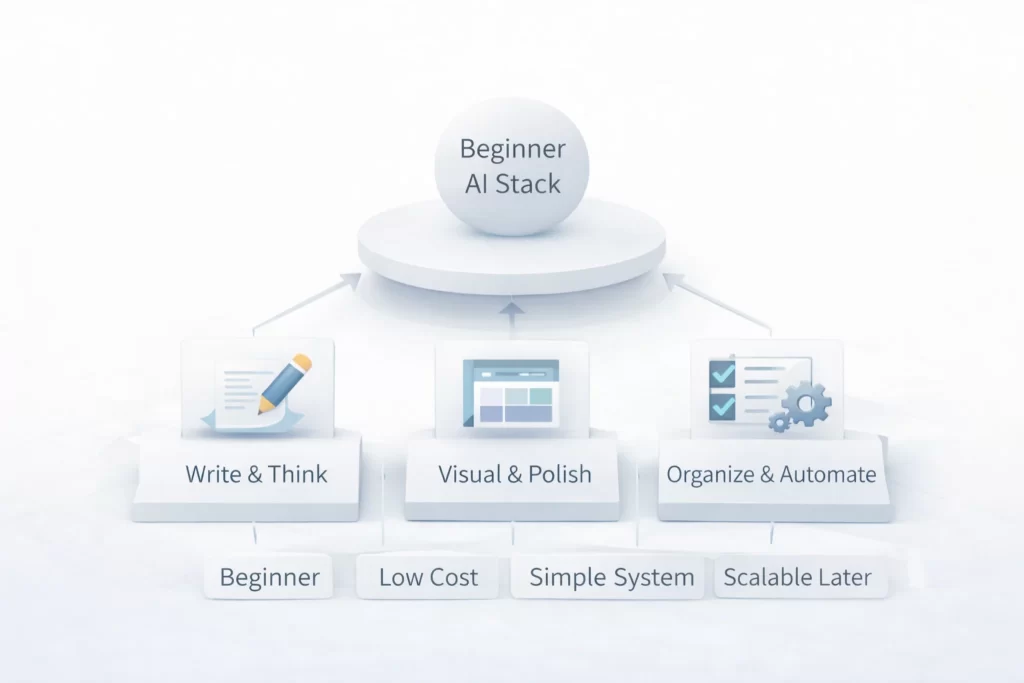
If you’re new to AI, the hardest part isn’t learning how AI works — it’s figuring out which tools to start with.
There are hundreds of options. Most overlap. Many are unnecessary.
This page exists to answer one simple question:
What is the easiest, safest AI setup for beginners that actually works?
Below is a simple, affordable, proven AI stack designed for everyday users — no coding, no hype, no overwhelm.
What This Beginner AI Stack Is (and Is Not)
This stack is designed to help you:
- Learn AI by using it
- Get useful results quickly
- Avoid tool overload
- Build confidence before adding complexity
This stack is not:
- Fully automated
- “Passive”
- Advanced or technical
If you’re brand new, this is exactly where you should start.
If you haven’t already, read What is AI? A simple explanation for beginners
The Beginner AI Stack (3 Tools)
This stack uses three tools, each with a clear role.
No redundancy.
No overlap.
No complexity.
Tool 1: A Writing & Thinking AI
This tool handles:
- Writing drafts
- Brainstorming ideas
- Summarizing information
- Rewriting and clarifying text
It acts as your thinking partner — not a replacement for judgment.
This is where:
- Ideas start
- Messy thoughts get organized
- First drafts are created
Learn how writing AI fits into the ecosystem in Popular AI tools explained
Tool 2: A Visual or Formatting Tool
This tool handles:
- Turning ideas into visuals
- Formatting content cleanly
- Making output usable and readable
Beginners often skip this step and wonder why AI output feels unfinished.
This tool:
- Improves clarity
- Makes results presentable
- Bridges raw AI output and real-world use
You’ll see how tools hand work forward in How AI tools work together
Tool 3: A Light Automation or Organization Tool
This tool handles:
- Repeating simple tasks
- Saving time
- Keeping things organized
At the beginner level, automation should be minimal.
This tool exists to:
- Reduce friction
- Keep processes consistent
- Avoid manual repetition
Deeper systems come later in AI workflows explained
How This Stack Works Together (Simple Flow)
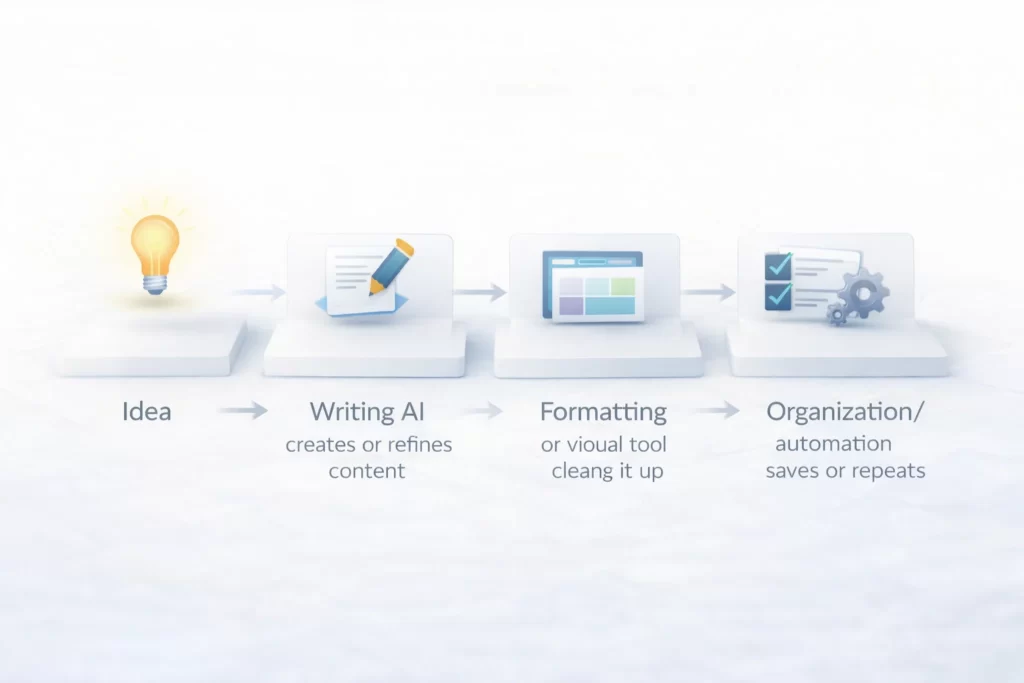
Here’s the full beginner flow:
- You start with an idea or task
- The writing AI creates or refines content
- The visual/formatting tool cleans it up
- The organization or automation tool saves or repeats the process
That’s it.
No tool does everything.
Each tool does one job well.
If this concept feels new, review How AI tools work together
Why This Stack Is Affordable
Beginners don’t need expensive plans.
This stack:
- Works with free or low-cost tiers
- Avoids overlapping tools
- Scales only when needed
You should be able to:
- Learn comfortably
- Experiment safely
- Upgrade later with confidence
For cost-conscious setups, see AI stack under $50
Who This AI Stack Is Best For

This stack is ideal if you:
- Are new to AI
- Want practical results quickly
- Prefer simple systems
- Don’t want to learn technical skills
- Want to build confidence before scaling
This stack is not ideal if you:
- Want full automation immediately
- Expect AI to replace thinking
- Are building complex systems already
If expectations are unclear, review Common AI mistakes to avoid
Why Beginners Should Not Add More Tools Yet
More tools don’t equal better results.
Early mistakes include:
- Downloading too many apps
- Switching tools constantly
- Never learning one system well
This stack is intentionally limited so you:
- Learn faster
- Build habits
- Understand flow
Once this stack feels natural, you’re ready for more.
What to Do After This Stack
Once you’re comfortable:
- Upgrade individual tools
- Add light automation
- Move into structured systems
Your next steps should be intentional, not rushed.
👉 Continue with AI workflows explained
👉 Or explore more setups in Beginner AI tool stacks
Getting Started with AI FAQ: Simple, Safe, and Proven Tools
An AI tool stack is a small group of tools that work together, each handling a specific part of a task.
Three tools is ideal. More than that creates confusion and slows learning.
No. Many beginners can start with free or low-cost plans and upgrade later.
Yes, when used responsibly. Avoid sharing sensitive information and always review outputs.
Yes. It’s suitable for personal use, learning, content creation, and light professional tasks.
Only minimal automation. Focus on understanding the process before automating it.
That’s normal. Review inputs, be clearer with instructions, and improve step by step.
Move into structured workflows or more specialized tool stacks.
Simple stacks beat complex systems — especially at the start.
Beginner Lab Essentials: Core Concepts for Your First Stack
| Term | Lab Concept |
|---|---|
| Thinking Partner | The role of a writing AI. It doesn’t replace your brain; it helps you brainstorm, summarize, and clarify ideas through conversation. |
| Tool Overload | The mistake of using too many apps at once. In the Lab, we fix this by sticking to a 3-tool limit until you master the flow. |
| Output Clarity | The bridge between raw AI results and professional work. We use formatting tools to make AI-generated text readable and presentable. |
| Friction | Any repetitive or annoying step that slows you down. We use light automation to remove friction, not to replace the whole job. |
| Confidence Scaling | The Lab method of only adding expensive or complex tools once your Beginner Stack feels like second nature. |
| Human Oversight | The essential act of checking AI work for facts and tone. This prevents common beginner mistakes. |
| Iteration | The process of asking the AI to “try again” with more detail. Better results come from conversation, not just the first prompt. |
| Interoperability | How well your tools “play together.” A good stack ensures your writing AI’s output fits perfectly into your formatting tool. |
Lab Note: The Fragility of Automation
Warning for Beginners: While “Passive Systems” sound ideal, automation is inherently fragile. Small updates to an AI tool or a change in a website’s layout can break a workflow without warning.
In the Lab, we follow the Human-in-the-Loop rule: Never automate a task 100% until you have mastered the manual process. Always include a manual checkpoint to verify that your “passive” system hasn’t drifted into producing
AI Hallucinations.
 Alex Carter