
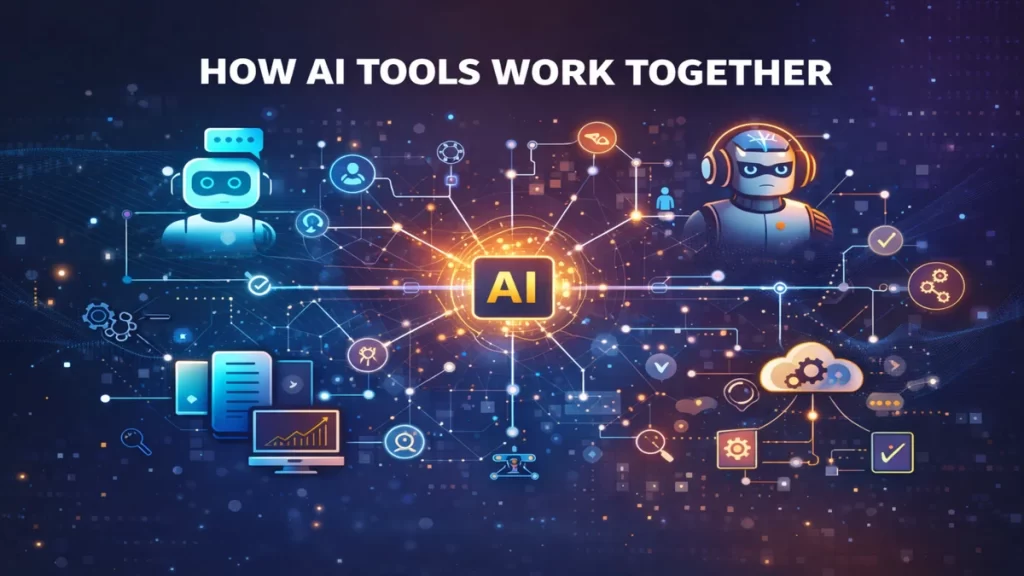
Once you understand what AI is, the next confusion usually sounds like this:
“Why do I need more than one AI tool?”
The short answer:
Because AI tools are specialists, not generalists.
Each tool does one part of the job well. Real results come from connecting them into a system.
The Core Idea: Input → Processing → Output
Most useful AI setups follow the same basic flow:
- One tool creates or gathers information
- Another tool improves or transforms it
- A third tool publishes, stores, or repeats the task
This is how AI stops being a novelty and starts being useful.
If this feels abstract, don’t worry. It becomes clear fast.
Why One AI Tool Isn’t Enough
Most beginners start with a single AI tool and expect it to:
- Think
- Write
- Design
- Publish
- Automate
- Manage everything
That rarely works well.
AI tools are built with narrow strengths:
- Some are best at writing
- Some are best at visuals
- Some are best at automation
- Some are best at organization
Trying to force one tool to do everything usually leads to frustration.
For a breakdown of tool types, see Popular AI tools explained
A Simple Example (No Tech Skills Required)
Here’s a beginner-friendly example of how tools work together:
- A writing AI drafts content
- An editing AI cleans it up
- A design tool turns it into visuals
- An automation tool schedules or publishes it
Each tool handles one job.
No tool is overloaded.
No human is replaced.
The system just moves faster.
To see real beginner setups, explore Beginner AI tool stacks
AI + Automation: Where the Real Power Starts

AI creates and improves information.
Automation moves that information.
Automation tools:
- Pass data between apps
- Repeat tasks reliably
- Reduce manual work
This is how AI systems become repeatable instead of one-off experiments.
Learn how repeatable systems work in AI workflows explained
Why Structure Beats “Better Prompts”
Many people believe better prompts solve everything.
They don’t.
Structure matters more than wording.
A simple system:
- Reduces mistakes
- Improves consistency
- Makes results predictable
That’s why professionals rely on workflows, not clever prompts.
If you’re just starting, avoid these traps in Common AI mistakes to avoid
AI Tools Don’t Think — They Pass Work Forward
A helpful way to think about AI tools:
- One tool hands work to the next
- Each step adds clarity or value
- The human stays in control
AI doesn’t “know the goal.”
You define the goal.
The tools help you move toward it.
If you skipped the basics, revisit What is AI? A simple explanation for beginners
When AI Tools Work Best Together
AI systems work best when:
- Tasks are repeatable
- Inputs are clear
- Outputs are reviewed
- Humans make final decisions
AI struggles when goals are vague or unchecked.
If you’re concerned about misuse, read Is AI safe and legal to use?
What Comes After This

Once you understand how tools connect, the next step is using pre-built systems instead of figuring everything out yourself.
That’s where tool stacks and workflows come in.
👉 Continue with Beginner AI tool stacks
👉 Or go deeper with AI workflows explained
FAQ: Maximizing Efficiency with AI Tool Workflows
Most AI tools are specialists, not generalists. While a tool like ChatGPT is an incredible writer, it isn’t a professional image editor or a dedicated automation engine. By connecting specialized tools, you ensure each part of your project is handled by the best technology available, leading to higher quality results.
Think of an AI Tool Stack as your toolbox—the collection of apps you use (like Claude and Canva). An AI Workflow is the instruction manual that tells those tools how to work together in a specific order to complete a job. You can see examples of this in our Beginner AI tool stacks.
No. Modern AI integration relies on “No-Code” platforms. Tools like Zapier
or Make allow you to connect different AI apps using simple drag-and-drop interfaces, making it easy for non-technical beginners to build advanced systems.
In a structured system, the output of the first tool becomes the input for the next. For example, an AI researcher might generate a summary, which is then automatically sent to an AI writer to create a blog post. This “passing of the torch” is what makes AI workflows so efficient.
If unmonitored, yes. This is why we advocate for a Human-in-the-Loop (HITL) approach. By placing “checkpoints” in your workflow where a human reviews the AI’s work, you can catch errors early and prevent them from moving down the chain. This is a key way to avoid common AI mistakes.
It doesn’t have to be. Many creators start with “Freemium” stacks that cost $0. As your needs grow, you can reinvest your earnings into paid tiers. We break down the most cost-effective setups in our AI Stack Under $50 guide.
AI tools don’t replace thinking.
They reward systems.
The Connection Lexicon: Terms for Integrated AI Systems
| Term | Lab Concept |
|---|---|
| Input & Output | The “baton” in a race. The Output (result) of your writing AI becomes the Input (starting data) for your design tool. |
| Integration | A technical “handshake” between two apps that allows them to share information automatically without you having to download and upload files. |
| Specialist Tool | An AI built for one specific job (like removing background noise from audio) rather than a “Generalist” like ChatGPT that tries to do everything. |
| No-Code | Software that lets you connect complex AI systems using simple buttons and “drag-and-drop” instead of writing computer code. |
| Data Handoff | Moving information from one tool to another. In the Lab, we move from Manual Handoff (copy-paste) to Automated Handoff as we grow. |
| HITL | Short for “Human-in-the-Loop.” It means a person checks the work at a “checkpoint” before the information moves to the next tool in the chain. |
| Latency | The “waiting time” while one tool processes data before the next one can start. Good workflows aim to reduce this wait time. |
| Trigger | The specific event that starts your workflow, such as receiving a new email or clicking a “Generate” button in your Tool Stack. |
 Alex Carter