
You don’t need expensive subscriptions to start using AI effectively.
Most beginners overspend early, bounce between tools, and never build a working system. This page exists to show the opposite:
A simple, reliable AI stack that stays under $50 per month and actually works.
No fluff. No enterprise tools. No “you’ll need this later” upsells.
What This $50 AI Stack Is Designed to Do
This stack is built for beginners who want to:
- Learn AI by using it
- Get real results without pressure
- Avoid tool overload
- Keep monthly costs predictable
This stack is not:
- Fully automated
- Advanced or technical
- Dependent on premium plans
If you’re brand new, start with Best AI Stack for Beginners (Simple, Affordable, Proven
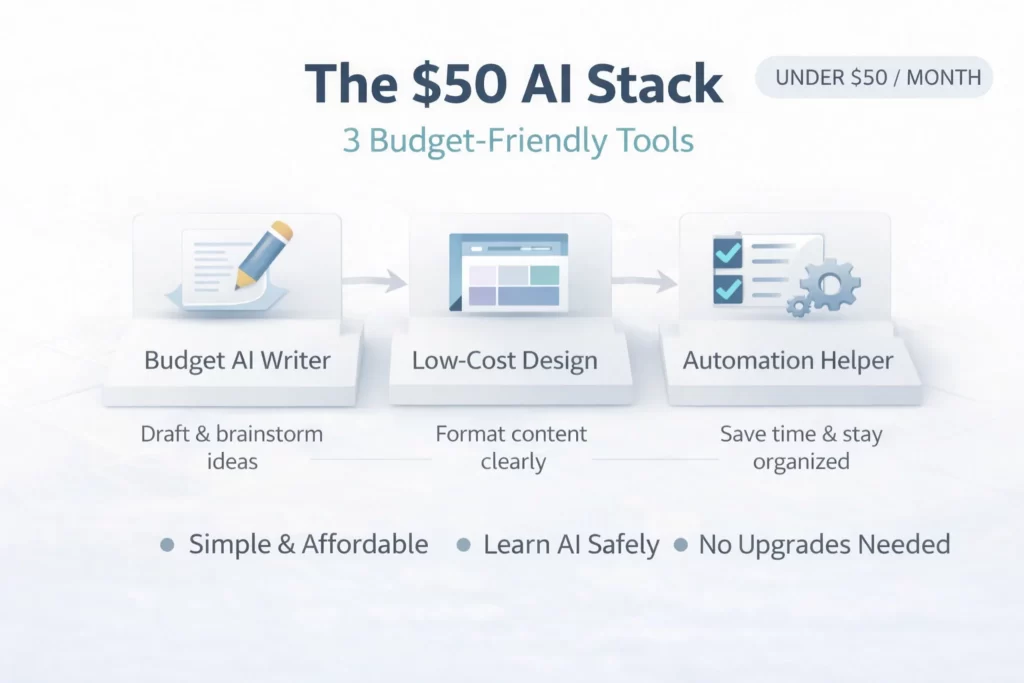
The $50 AI Stack (3 Budget-Friendly Tools)
This stack uses three tools, each with a clear job.
All can be used on free or low-cost plans.
Tool 1: A Budget Writing & Thinking AI

This tool handles:
- Writing drafts
- Brainstorming ideas
- Rewriting and simplifying text
- Summarizing information
At the beginner level, you don’t need the most advanced model — you need clarity and consistency.
This tool becomes your:
- Idea generator
- First-draft engine
- Thought organizer
If you’re unsure how writing AI fits into the ecosystem, review Popular AI tools explained
Tool 2: A Free or Low-Cost Visual / Formatting Tool
Raw AI output often feels unfinished.
This tool handles:
- Formatting text cleanly
- Turning ideas into visuals
- Making content usable and presentable
Beginners skip this step and wonder why results feel “off.”
This tool:
- Improves clarity
- Makes output readable
- Bridges AI drafts and real-world use
To understand how tools pass work forward, read How AI tools work together
Tool 3: A Lightweight Organization or Automation Tool
Automation at this level should be minimal.
This tool exists to:
- Save time on simple repeats
- Keep things organized
- Reduce friction
You’re not building complex systems yet — just avoiding unnecessary manual work.
Structured automation comes later in AI workflows explained
How This Budget Stack Works (Simple Flow)
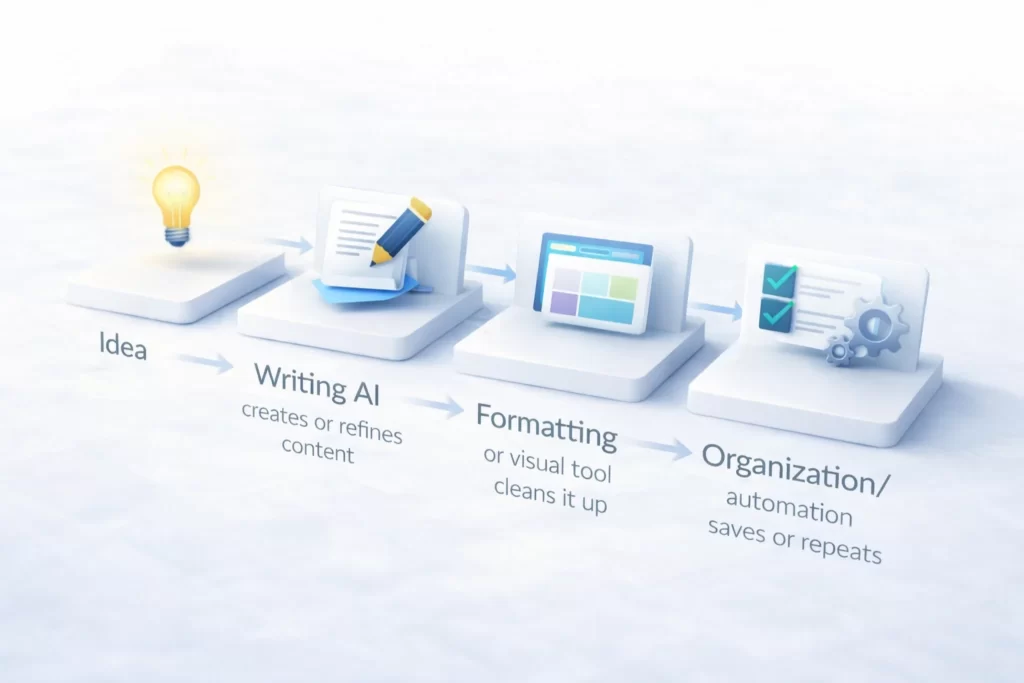
Here’s the full under-$50 flow:
- You start with an idea or task
- Writing AI creates or refines content
- Formatting or visual tool cleans it up
- Organization or automation tool saves or repeats the process
Each tool does one job.
No tool overlaps.
No tool replaces thinking.
If this concept still feels fuzzy, revisit How AI tools work together
How This Stack Stays Under $50
This stack works because:
- Free tiers handle most beginner needs
- Paid upgrades are optional, not required
- No tool duplicates another tool’s role
You can:
- Start free
- Upgrade one tool at a time
- Stay under budget while learning
Spending more too early doesn’t improve results — it increases confusion.
Who This $50 AI Stack Is Best For
This stack is ideal if you:
- Are new to AI
- Want to learn safely
- Prefer simple systems
- Don’t want subscription stress
- Care more about learning than speed
This stack is not ideal if you:
- Want full automation immediately
- Need advanced integrations
- Expect AI to run without oversight
If expectations feel unclear, review Common AI mistakes to avoid
Why Cheaper Stacks Often Work Better at First
Beginners learn faster when:
- Fewer tools are involved
- Each tool has a clear role
- Mistakes are easy to spot
Cheap stacks force clarity.
Expensive stacks hide problems behind complexity.
That’s why starting small works.
What to Do After the $50 Stack
Once this setup feels comfortable:
- Upgrade one tool at a time
- Add light automation
- Move into repeatable systems
The next step isn’t “more tools” — it’s better structure.
👉 Continue with AI workflows explained
👉 Or explore more setups in Beginner AI tool stacks
Low-Cost AI Systems: Your Budget Stack Questions Answered
Three tools is ideal. More than that increases confusion without improving results.
Yes. Many beginners can stay under $50 using free tiers and selective upgrades.
Yes. Free tools are more than enough for learning, testing, and light real-world use.
Yes, when used responsibly. Avoid sharing sensitive information and always review outputs.
No. Use free or low-cost plans until you understand what you actually need.
Yes. It’s suitable for learning, content creation, organization, and light professional tasks.
Improve your inputs, slow down, and review outputs carefully. This is part of learning.
Move into structured workflows or specialized stacks once this setup feels natural.
Budget limits create better systems.
The Budget Lab Manual: Core Low-Cost Terms
| Term | Lab Concept |
|---|---|
| Freemium | Tools that offer a robust free version with the option to pay for advanced features. In a budget stack, we maximize these free tiers first. |
| Tool Overlap | Paying for two tools that do the same thing. Eliminating overlap is the fastest way to keep your stack under $50. |
| Credit Limits | The amount of “work” an AI tool allows per month (e.g., words generated or images created). Managing these keeps costs predictable. |
| Minimalist Stack | A system using the fewest tools possible to achieve a result. Fewer tools equal lower costs and less technical confusion. |
| Open Source | AI models that are free to use and modify. Using open-source alternatives is a key strategy for high-power, low-budget workflows. |
| Subscription Fatigue | The mental and financial drain of managing too many monthly payments. The Lab focuses on “One-In, One-Out” tool management. |
| Scalability Cost | The projected cost of your stack as your business grows. We pick tools that don’t “punish” success with massive price hikes. |
| Manual Bridge | Doing a task yourself to avoid paying for an expensive automation. A vital skill when keeping a Beginner Stack lean. |
Lab Note: Watch Out for “Subscription Creep”
Budget Tip: It is very easy to sign up for three “cheap” $15 tools and suddenly realize you are spending $45 a month on things you barely use. This is called “Subscription Creep.”
To keep your stack under $50, follow the One-In, One-Out Rule: Before you pay for a new tool, you must cancel an old one. This forces you to choose tools that actually help you make money rather than just spending it.
If you’re feeling overwhelmed by costs, go back to a
Simple Beginner Stack until you’re ready to grow.
 Alex Carter