

“Passive” doesn’t mean hands-off.
It means repeatable, low-friction systems that keep running once you’ve set them up correctly.
This stack is built for people who want AI to:
- Reduce manual work
- Run predictable processes
- Support systems that scale
- Stay reliable over time
Not hype. Not shortcuts. Systems.
What “Passive Systems” Actually Means
A passive system is one where:
- The same steps repeat
- Inputs are predictable
- Outputs are reviewed, not reinvented
- Humans intervene only when needed
AI helps by removing repetition, not responsibility.
If this concept feels fuzzy, start here:
How AI tools work together
What This Automation-Focused Stack Is Designed to Do
This stack helps you:
- Turn manual processes into repeatable flows
- Reduce daily decision-making
- Connect tools so work moves automatically
- Maintain control and visibility
This stack is not:
- Fully autonomous
- “Set it and forget it”
- Risk-free without oversight
If you’re new to AI, start simpler with
Best AI Stack for Beginners (Simple, Affordable, Proven)
The Passive Systems AI Stack (4 Tools)
Automation-focused systems require clear roles.
Each tool below handles one stage of the process.
Tool 1: A Writing or Logic AI (Decision Engine)
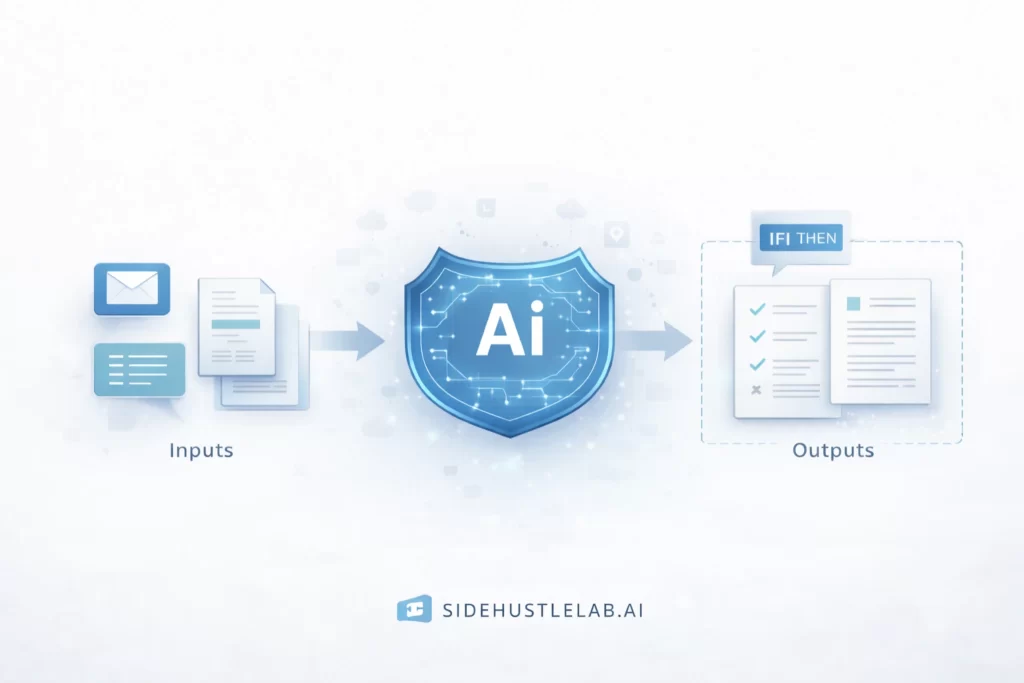
This tool handles:
- Creating structured outputs
- Making rule-based decisions
- Transforming inputs into usable formats
- Generating consistent drafts or summaries
In passive systems, this tool:
- Interprets incoming data
- Produces predictable outputs
- Follows constraints you define
If you need a refresher on tool types, review
Popular AI tools explained
Tool 2: A Trigger or Data Intake Tool
Automation starts with inputs.
This tool handles:
- Incoming forms
- Emails
- Files
- Database updates
- Scheduled triggers
Nothing happens until something enters the system.
This tool ensures:
- Inputs arrive consistently
- Data is structured
- Workflows don’t break randomly
Tool 3: An Automation / Orchestration Tool
This is the spine of passive systems.
This tool:
- Moves data between apps
- Triggers actions automatically
- Follows defined rules
- Runs workflows on schedule
This is where systems stop being manual and become repeatable.
To understand why structure matters here, read
AI workflows explained
Tool 4: A Storage, Review, or Publishing Tool
Passive systems still require human checkpoints.
This tool handles:
- Saving outputs
- Publishing content
- Logging results
- Flagging exceptions
It ensures:
- Nothing disappears
- Mistakes are visible
- Humans stay in control
Automation without review is how systems fail.
How This Passive Stack Works Together
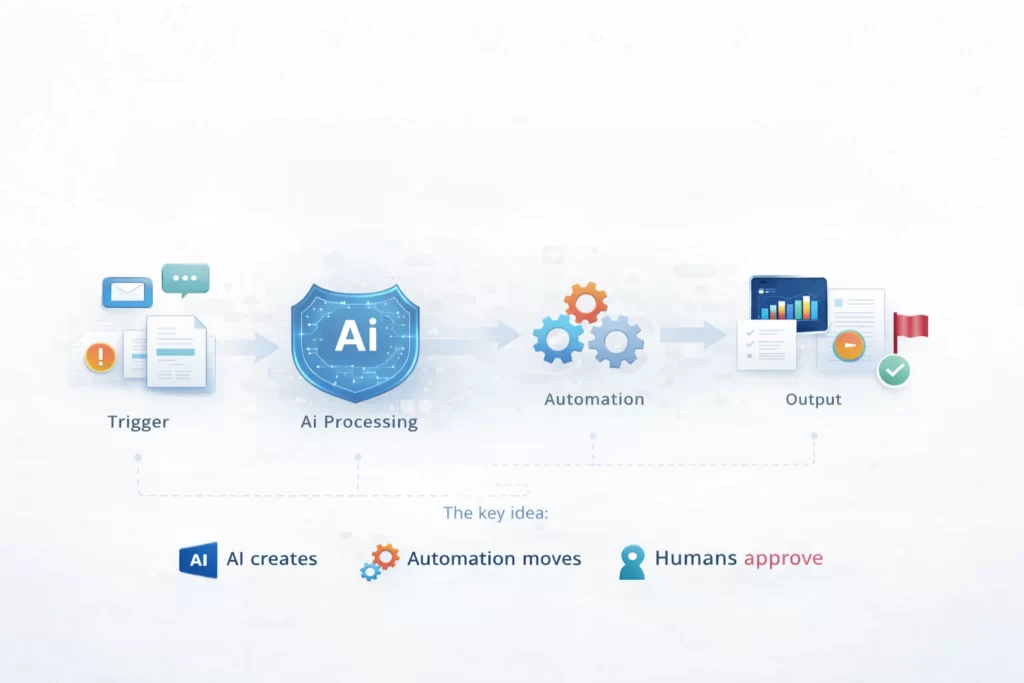
Here’s a typical automation-focused flow:
- A trigger or input enters the system
- AI processes or transforms the data
- Automation routes the output
- Results are stored, published, or flagged
The key idea:
- AI creates
- Automation moves
- Humans approve
If this feels complex, revisit
How AI tools work together
Why Passive Systems Require More Discipline
Automation amplifies:
- Good structure
- Bad assumptions
Passive systems fail when:
- Inputs change unexpectedly
- Rules are unclear
- No review step exists
That’s why beginners should never start here first.
If expectations feel unrealistic, review
Common AI mistakes to avoid
Who This AI Stack Is Best For
This stack is ideal if you:
- Repeat the same tasks often
- Value consistency over creativity
- Want fewer daily decisions
- Are comfortable testing systems
- Already understand basic AI usage
This stack is not ideal if you:
- Want creative output
- Expect AI to run unattended
- Haven’t used simpler stacks first
If budget matters, start with
AI Stack Under $50 (Best Budget Tools for Beginners)
Cost Expectations for Passive Systems
Automation-focused stacks:
- Often start cheap
- Scale with usage
- Cost more when volume increases
Begin with:
- Free tiers
- Limited automations
- Clear usage limits
Complexity should grow after reliability.
Why Passive Systems Are Built Last
In the SideHustleLab order of operations:
- Learn AI basics
- Use simple stacks
- Create consistent output
- Then automate
Skipping steps leads to fragile systems.
If you’re not ready for automation yet, explore
Beginner AI tool stacks
What Comes Next
Once passive systems are stable:
- Add monitoring
- Improve exception handling
- Refine workflows
- Scale volume carefully
The next logical step is deep structure.
👉 Continue with AI workflows explained
👉 Or refine systems via Beginner AI tool stacks
Passive AI Systems FAQ: Automation, Reliability, and Setup
It’s a repeatable system where AI and automation handle routine work with minimal manual input.
No. They still require monitoring, review, and occasional intervention.
No. Beginners should start with simpler stacks first.
AI transforms information; automation moves it between tools.
Yes. Poor inputs or unclear rules can cause failures without review steps.
Yes, but only when outputs are reviewed before publishing.
They often start free but scale with usage.
Start with beginner stacks and workflow fundamentals.
Automation doesn’t remove work.
It removes repetition.
Automation Logic: Key Concepts for Passive AI Systems
| Term | Lab Concept |
|---|---|
| Trigger | The “start” signal for an automated system—such as a new email, a scheduled time, or a form submission that sets the workflow in motion. |
| Decision Engine | The AI component (like ChatGPT) that interprets data and decides the next step based on the rules you’ve set in your workflow. |
| Orchestration | The act of coordinating multiple tools to work together in a sequence. This is the “spine” that keeps a passive system running. |
| Exception Handling | A safety step in your stack that flags errors or unusual data for human review instead of letting the system break. |
| Conditional Logic | “If This, Then That” rules. For example: *If* a customer is upset, *Then* alert a human; *Else* let the AI draft a standard reply. |
| Structured Data | Information organized in a predictable way (like a spreadsheet). Automation thrives on structure; it fails on messy, unpredictable inputs. |
| Human Checkpoint | The final “approval” stage where you verify the AI’s work before it is published or sent to a client. Essential for AI safety. |
| Reliability | The measure of how often a system works without failing. In the Lab, we value a 99% reliable simple system over a 70% reliable complex one. |
Lab Note: The “Set and Forget” Myth
System Tip: Many people think “passive” means you never have to look at your tools again. In this lab, we know that isn’t true. Automation doesn’t get rid of the work; it just changes it.
Instead of doing the task yourself, your new “job” is to check the system. AI tools update, links break, and websites change. Spend 10 minutes a week checking your logs to make sure everything is still running correctly.
If you’re not ready to manage a system yet, it’s better to stick with a
simple manual stack until you’re comfortable.
 Alex Carter