

Introduction
Google Veo is an AI video generation model designed to create realistic video clips from text prompts.
Instead of editing existing footage, Veo generates new scenes based on written descriptions. Users can control style, motion, camera angles, and overall tone by adjusting their prompts.
For side hustlers, Google Veo has potential for short-form content, promotional visuals, explainer clips, and creative projects that would normally require filming or advanced editing software.
This guide explains how Google Veo fits into video workflows, where it performs best, and how it compares to other AI video generation tools.
How To Get Google Veo
What Google Veo Actually Does

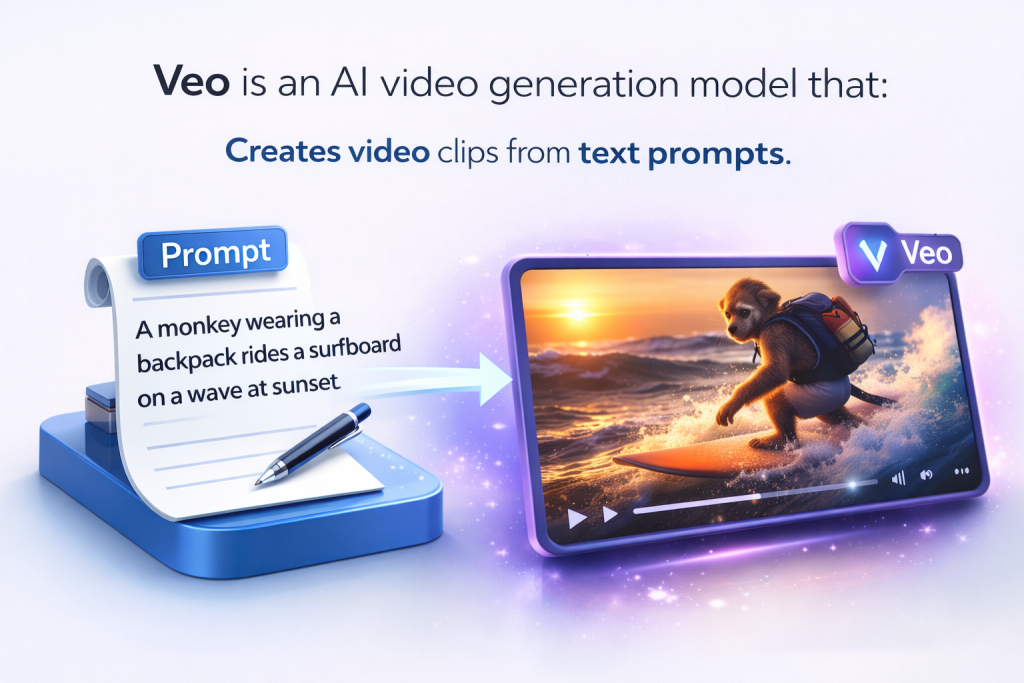
Veo is an AI video generation model that:
- Creates video clips from text prompts
- Simulates realistic motion and environments
- Allows control over style and tone
- Generates scenes without filming
- Helps prototype visual ideas quickly
Instead of recording footage manually, users describe the scene and generate it through AI.
That shift from production to prompting changes how video content can be created.
How People Actually Use Google Veo to Support Online Income
Veo doesn’t pay you directly.
The income comes from the video content you create and how you distribute it.
Veo helps people produce:
- Short-form promotional clips
- Visual explainers
- Social media content
- Concept scenes for ads
- Background footage
- Creative storytelling visuals
The more engaging your video → the more attention you earn.
Attention creates reach. Reach creates opportunity.
Why Veo Works for Side Hustles
Many creators avoid video because:
- Filming takes time
- Editing is complex
- Equipment costs add up
- Certain scenes are hard to produce
Veo reduces those barriers.
1️⃣ It Removes Production Overhead
No camera, lighting, or location setup required.
2️⃣ It Speeds Up Content Creation
You can generate visual clips faster than traditional filming.
3️⃣ It Expands Creative Control
You can experiment with styles, angles, and concepts without large budgets.
How Veo Fits Inside a Real AI Workflow
Veo usually supports the visual production stage.
A typical workflow might look like:
Script → Scene Prompts → Generate Clips → Edit → Publish → Repurpose
Or:
Marketing Concept → Visual Prototype → Final Edit → Launch Campaign
Veo handles AI-generated footage.
Other tools handle scripting, voiceovers, editing, and automation.
Used occasionally, it enhances video content.
Used strategically, it supports scalable short-form content systems.
Lab Note: Precision Improves Realism
Quick Tip: Veo responds strongly to detailed physical descriptions.
Mention environment, motion style, lighting conditions, and realism cues. The clearer the physical world you describe, the more believable the result becomes.
In the Lab, we treat Veo as a realism engine. Direct the physics, define the scene, and guide the motion like a production planner.
Essential Google Veo Terminology
| Term | What It Means |
|---|---|
| Text-to-Video | The ability to generate video scenes from written descriptions. |
| Multimodal Input | The capability to understand both text and image references when generating video. |
| High-Resolution Output | Producing detailed, high-quality video clips suitable for professional use. |
| Physics Simulation | AI-generated motion that attempts to follow realistic object movement and environmental behavior. |
| Clip Length | The duration of video generated from a single prompt. |
| Preview Access | Limited or early access provided through Google AI programs before full public release. |
| API Integration | Developer access allowing Veo to generate video within apps or automated systems. |
Frequently Asked Questions About Google Veo for Side Hustles
Google Veo is an AI video generation model designed to create high-quality video from text prompts. It focuses on realistic motion, scene control, and cinematic output. For creators building scalable content systems, Veo represents an advanced step in AI-assisted video production.
Access to Google Veo may be limited depending on rollout phases and developer programs. Availability can vary by region and platform integration. Creators should check official Google updates for current access information.
Yes. Even with advanced AI generation, editing software is typically needed for pacing, branding, sound design, and final optimization. When integrated into structured workflows like AI Stack for Passive Systems, Veo becomes one component of a scalable video production system.
Google Veo emphasizes realism and scene continuity, while other AI video tools may prioritize avatars, short-form clips, or editing automation. The right choice depends on whether your focus is cinematic storytelling, educational content, or automated social media production.
You can explore broader evaluations and positioning inside the Compare AI Tools Lab.
Google Veo works best for generating scalable video content that supports YouTube monetization, affiliate marketing funnels, and digital education businesses. When creators understand how AI tools connect inside systems such as those explained in How AI Tools Work Together, Veo becomes part of a repeatable content engine rather than a standalone experiment.
 Alex Carter