
Introduction to Grammarly
Grammarly is a writing improvement tool designed to help you polish and refine your content.
It checks grammar, spelling, clarity, tone, and sentence structure in real time. Instead of generating full articles from scratch, Grammarly focuses on improving what you’ve already written.
For side hustlers, Grammarly is useful during the editing stage. It helps clean up blog posts, emails, product descriptions, and social content before publishing. Many creators use it as a final quality-control step to make their writing clearer and more professional.
This guide explains how Grammarly fits into online workflows, where it works best, and how it compares to AI tools that focus more on content generation.
How To Get Grammarly
What Grammarly Actually Does
Grammarly is a writing improvement tool designed to:
- Correct grammar and spelling
- Improve sentence clarity
- Adjust tone
- Suggest stronger word choices
- Detect awkward phrasing
It works on content you’ve already written.
Instead of creating ideas from scratch, Grammarly focuses on refining and polishing what’s there.
That editing layer is what makes it useful inside side hustle workflows.
How People Actually Use Grammarly to Support Online Income
Grammarly doesn’t pay you directly.
The income comes from publishing clearer, more professional content.
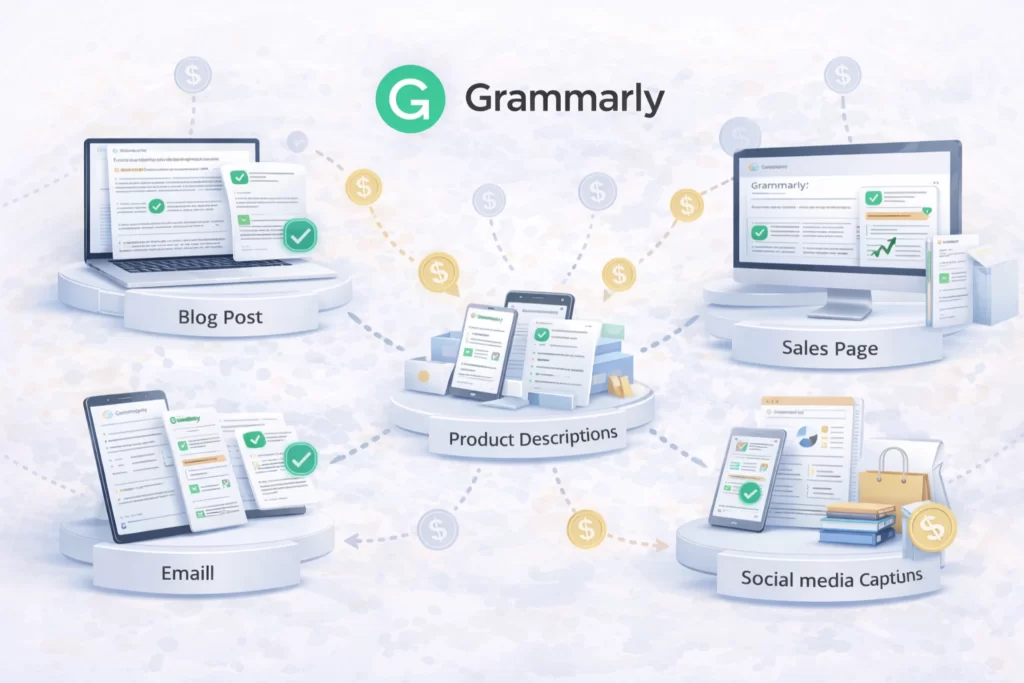
Grammarly helps improve:
- Blog posts
- Emails
- Sales pages
- Product descriptions
- Client proposals
- Social media captions
- Website copy
The clearer your writing → the more trustworthy you appear.
The more trustworthy you appear → the better your results.
Why Grammarly Works for Side Hustles

Many creators lose credibility because of small writing mistakes.
They:
- Publish too quickly
- Miss grammar errors
- Use unclear wording
- Sound less professional than they intend
Grammarly reduces that friction.
1️⃣ It Improves First Impressions
Clean writing builds trust with readers and clients.
2️⃣ It Speeds Up Editing
Instead of manually checking every sentence, you get real-time suggestions.
3️⃣ It Strengthens Professional Communication
For freelancers or service providers, polished emails and proposals can improve response rates.
How Grammarly Fits Inside a Real AI Workflow
Grammarly usually sits at the end of the process.
A typical structure might look like:
Idea → Draft (AI or Manual) → Grammarly Edit → Publish → Repeat
Or:
Client Brief → Draft → Grammarly Review → Deliver
Grammarly handles refinement.
Other tools handle creation.
Used alone, it improves clarity.
Used consistently, it helps maintain professional standards across everything you publish.
Lab Note: Clean Writing Converts Better
Quick Tip: Small grammar mistakes reduce trust more than most creators realize.
Grammarly works best as a final polish layer, not a writing replacement tool. Write first. Edit second. Refine last.
In the Lab, we use Grammarly to increase clarity and professionalism — because clear writing builds credibility, and credibility builds income.
Essential Grammarly Terminology
| Term | What It Means |
|---|---|
| Grammar Check | Automatically detects and corrects spelling, punctuation, and grammatical mistakes. |
| Tone Detector | Analyzes your writing and predicts how it may sound to readers (confident, friendly, formal, etc.). |
| Clarity Suggestions | Recommendations that make sentences easier to read and understand. |
| Plagiarism Checker | Scans your writing against online sources to detect possible copied content (Premium feature). |
| Style Guide | Custom writing rules you can apply to ensure consistency across teams or brands. |
| Browser Extension | A tool that works directly inside Chrome, Edge, or other browsers to check writing in real time. |
| Premium Plan | Paid version that unlocks advanced suggestions, tone rewrites, and plagiarism detection. |
Frequently Asked Questions About Grammarly for Side Hustles
Most creators use Grammarly to polish blog posts, email sequences, client deliverables, and product descriptions. Clean, professional writing improves engagement and trust — especially for monetized websites and freelance services. When paired with production systems outlined in our AI Workflows guide, it becomes part of a reliable publishing process.
Yes. Grammarly helps reduce grammar errors, awkward phrasing, and tone inconsistencies — all of which affect user experience. Clear writing improves readability metrics and can support longer session times on ad-supported websites.
For structured tool setups, many beginners combine it with the framework inside our Beginner AI Stack.
Absolutely. Grammarly is beginner-friendly and works passively in the background while you write. It helps new creators avoid common writing mistakes and publish with more confidence — even without advanced editing skills.
No. Grammarly improves grammar, tone suggestions, and clarity, but it does not replace strategic editing or deep structural feedback. Many freelancers and content creators use it to strengthen drafts before final review. Inside systems explained in the AI Tools Lab, it functions as a polishing layer rather than a creative engine.
Grammarly serves a different purpose. Writing tools generate drafts, while Grammarly focuses on refinement and clarity. For most side hustlers, it works best as a complementary tool within a broader AI tool stack.
If you’re comparing platforms directly, review our full breakdown inside the AI Tool Comparisons section.
Grammarly is best used for editing blog content, client work, landing pages, and digital products before publishing. If your goal is consistent traffic growth and professional credibility, it helps ensure your content meets quality standards inside repeatable publishing systems.
 Alex Carter