
Introduction to Canva
Canva has become one of the most widely used creation tools for online side hustles — not because it replaces professional design software, but because it removes friction.
At SideHustleLab, we evaluate tools based on one core question:
Does this tool help people create faster, publish consistently, and actually build income?
This guide breaks down how Canva fits into real side hustles, how it compares to alternatives, and why many creators treat it as a core part of their workflow.
How To Get Canva
What Canva Actually Does
Canva is a drag-and-drop visual creation platform used to build:
- social media graphics
- digital products
- presentations
- lead magnets
- videos
- marketing assets
Instead of designing from scratch, users start with templates, modify them quickly, and publish faster.
This speed advantage is what makes Canva powerful for side hustlers.
How People Actually Make Money Using Canva to Build Online Income
Canva itself doesn’t pay you.
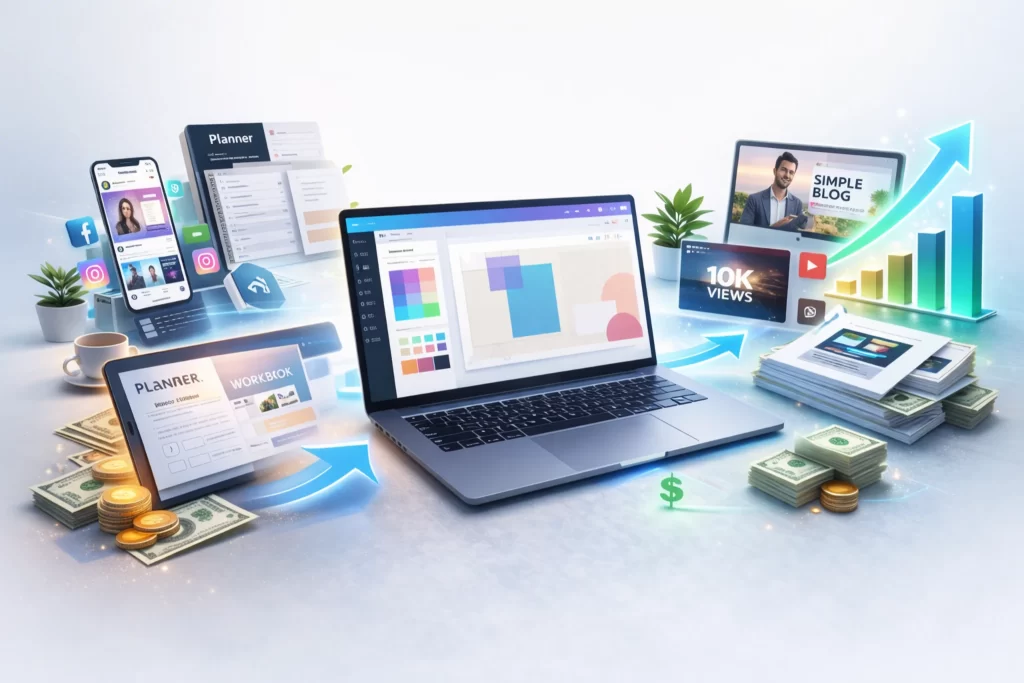
The income comes from what Canva enables you to build:
- Digital products (templates, planners, workbooks)
- Social media content services
- YouTube thumbnails & graphics
- Blog design packages
- Marketing assets for clients
The faster you create → the faster you can monetize.
Why Canva Works So Well for Side Hustles
Most beginners don’t fail because of bad ideas.
They fail because content creation takes too long.
Canva fixes that by:
1️⃣ Reducing Design Complexity
Templates remove the need for advanced design knowledge.
2️⃣ Increasing Output Speed
You can create and publish multiple assets in one session.
3️⃣ Supporting Scalable Workflows
Brand kits, resizing, and bulk creation allow consistent content production.
This is why Canva is frequently part of beginner AI stacks and creator workflows.
How Canva Fits Inside a Real AI Workflow
This is where most people miss the big picture.
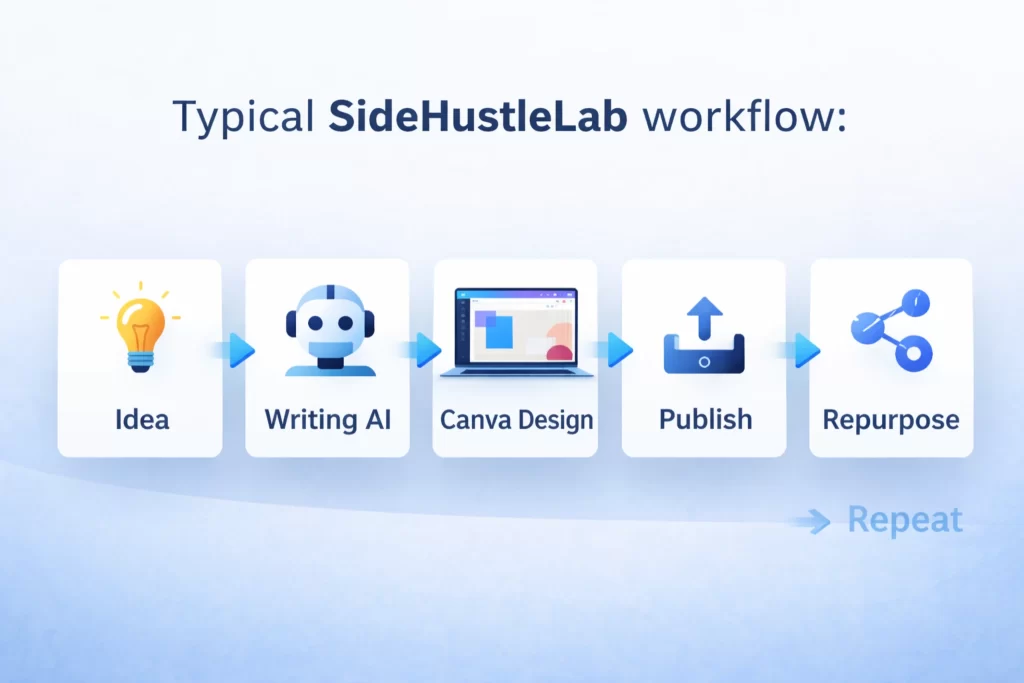
Typical SideHustleLab workflow:
Idea → Writing AI → Canva Design → Publish → Repurpose → Repeat
Canva Pros and Cons
What We Like About Canva
- Beginner-friendly editor — drag-and-drop design makes graphics fast to create even without experience.
- Huge template library — social posts, presentations, PDFs, ads, and thumbnails are ready to customize.
- Strong free plan — many users can create professional designs without paying upfront.
- Fast workflow — ideal for side hustlers, bloggers, and small business content creation.
- Collaboration tools — easy sharing and team editing for projects.
What Could Be Better
- Advanced features locked behind Pro — some premium templates, stock assets, and brand tools require upgrading.
- Templates can feel repetitive — popular layouts may appear similar across different creators.
- Less design precision — power users may find controls limiting compared to advanced tools like Adobe products.
- Large projects can get cluttered — organization inside Canva can feel messy when managing many files.
Canva vs Other Popular Tools
Canva vs Figma
- Canva → fast content design
- Figma → professional UI/UX collaboration
- Best for side hustlers: Canva
Canva vs Adobe Express
- Canva → stronger template ecosystem
- Adobe Express → Adobe ecosystem users
- Winner for beginners: Canva
Canva vs Photoshop
- Canva → speed & accessibility
- Photoshop → precision editing
- SideHustleLab verdict: Canva wins for volume publishing
Canva vs AI Image Generators
- AI generators → single image creation
- Canva → full workflow + packaging + layout
Best strategy:
Generate with AI → assemble in Canva → publish everywhere.
Not seeing a good comparison? Check out our Comparison Tool
SideHustleLab Final Take
Canva isn’t about replacing designers.
It’s about removing bottlenecks.
For side hustlers, speed and consistency matter more than perfect design — and Canva makes consistent publishing dramatically easier.
We evaluate tools based on one thing:
Does this actually help you build income faster, easier, or more consistently?
This guide breaks down how Canva fits into real side hustles, how it compares to other tools, and why many creators use it as a core part of their workflow.
Frequently Asked Questions About Canva for Side Hustles
Yes — Canva is one of the easiest design tools for beginners because it removes most technical barriers. Templates, drag-and-drop editing, and AI tools allow new creators to start producing content immediately, which is why it’s often included in our Beginner AI Stack.
Canva doesn’t pay you directly, but it helps you create assets that generate income faster — like digital products, social content, and marketing materials. Many creators combine Canva with ideas from our AI Side Hustles guide to turn designs into real revenue streams.
For most side hustlers focused on speed and consistency, yes. Canva is faster and easier to learn, while Photoshop is better for advanced editing and professional design workflows. Canva is ideal when your priority is publishing quickly inside repeatable AI workflows.
Absolutely. Many professional marketers, creators, and agencies use Canva to scale content production quickly. Even advanced designers often use it for bulk assets, social media graphics, and rapid publishing alongside more complex tools.
Yes — Canva is widely used to create planners, templates, workbooks, and printable products. It’s especially effective for creators building simple digital assets that fit into scalable creator workflows.
Yes. Canva includes built-in AI tools for writing, image generation, background removal, and design automation. These features help reduce creation time and pair well with the tools featured in our AI Tools hub.
Canva is best for fast, repeatable content creation — especially graphics, social media assets, and digital products. If your goal is consistent publishing and building momentum, Canva works extremely well inside a complete AI tool stack.
Lab Note: Design Speed Beats Design Perfection
Quick Tip: Most side hustlers waste time trying to make every design perfect. Canva works best when you focus on speed and consistency instead.
Create, publish, improve later. The goal isn’t to win design awards — it’s to ship content, test ideas, and build momentum.
In the Lab, we treat Canva as a production engine, not a masterpiece tool. The faster you publish, the faster you learn what actually converts.
Essential Canva Terminology
| Term | What It Means |
|---|---|
| Template | A pre-built design layout that gives you a professional starting point so you can customize instead of designing from scratch. |
| Magic Resize | A feature that automatically converts one design into multiple sizes for different platforms like Instagram, Pinterest, or YouTube. |
| Brand Kit | Stores your brand colors, fonts, and logos so every design stays visually consistent across projects. |
| Magic Write | Canva’s built-in AI writing assistant used to generate captions, headlines, and content ideas directly inside designs. |
| Elements | Graphics, icons, shapes, photos, and visual assets you add to designs to build layouts quickly. |
| Layers | Design components stacked on top of each other that can be moved, reordered, or edited independently. |
| Export Formats | File types used when downloading designs, such as PNG, JPG, PDF, or MP4 depending on how the content will be used. |
 Alex Carter